Welcome! Whether you fly (or intend to fly) one of these , one of these, or even one of these
, you've come to the right place. This is the home of that really good electronic pilot logbook
system that you've been looking for--Safelog has the most features, most polished user experience, and the lowest total cost of any credible pilot logbook system.
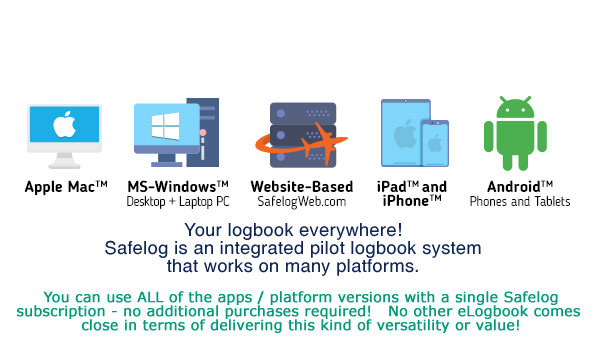
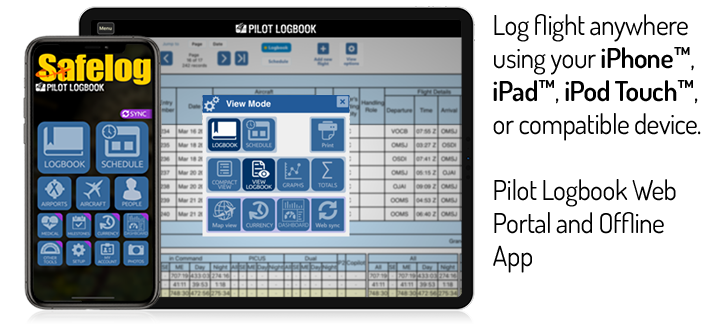
Your Safelog account will work accross any or all of your choice of platforms - Windows PC, Mac, iPhone/iPad, and Android, and Web.
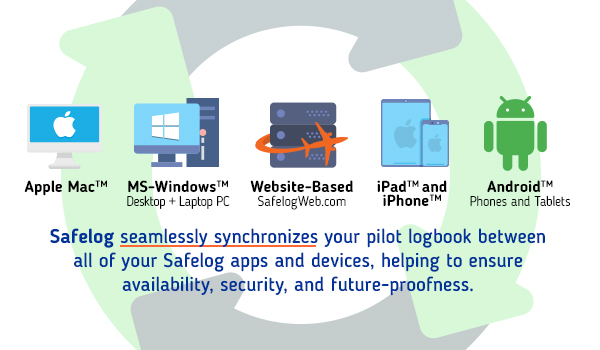
Whether you choose to run Safelog on just one platform or all of them, your logbook will synchronize seamlessly between them
offering you unparallelled availability, future-proofedness, and disaster protection.
Best of all, with a single Safelog account, you can access your logbook on any or all of our many supported platforms with no 'per platform', 'cloud synchronization' or other hidden fees, ever.
We work hard to give Safelog the right combination of power and ease-of-use. Safelog is trusted by tens of thousands of pilots worldwide
We welcome you to try a free demo today. You can be logging your first flight in just moments from now.
Safelog is the walk-away winner for a full-featured, digital pilot logbook. We could use virtually all the features intuitively. The data is easy to import and export. The logbook is vastly customizable to show any kind of data you want, but it’s set up well with defaults that will work for most users. There are handy quick-entry items to make the logbook chore easier. It’s also the most international with separate versions for FAA, EASA/JAA, CAA, Canadian and Australian users.
—
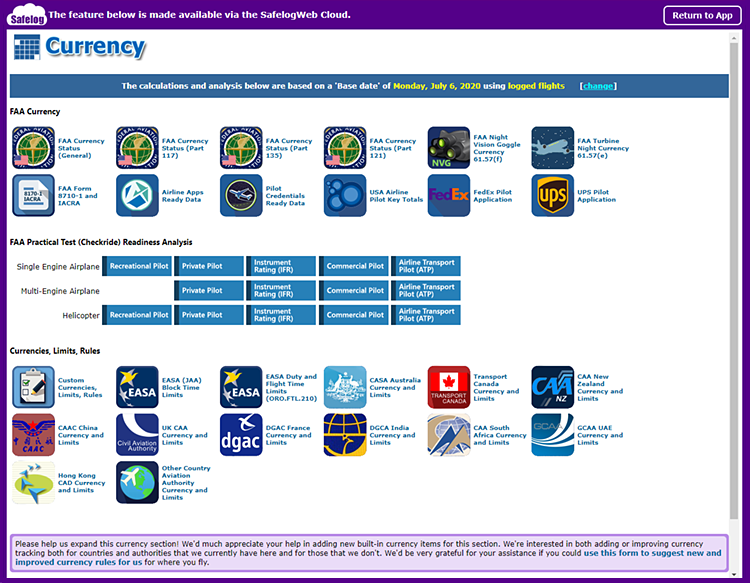
FAA Currency Tracking* - CFR 14 (FAR) Part 91, 117, 121 (domestic, international, and small capacity), 135, and more
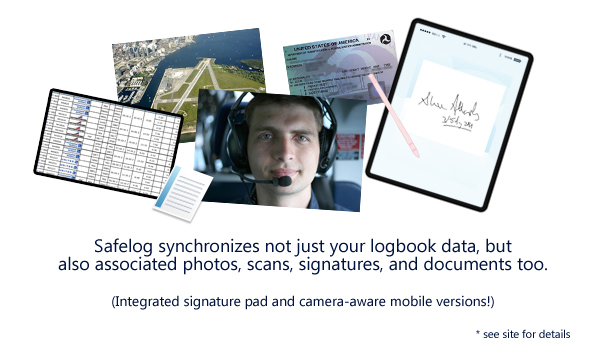
Signature Pad! (select mobile versions, including iPad™/iPhone™ and Android™) - You or your instuctor/examiner/etc can digitally sign your flight records right on your mobile device!
Built In Aircraft Types - Thousands of Built-in Aircraft Types Make Data entry easy!
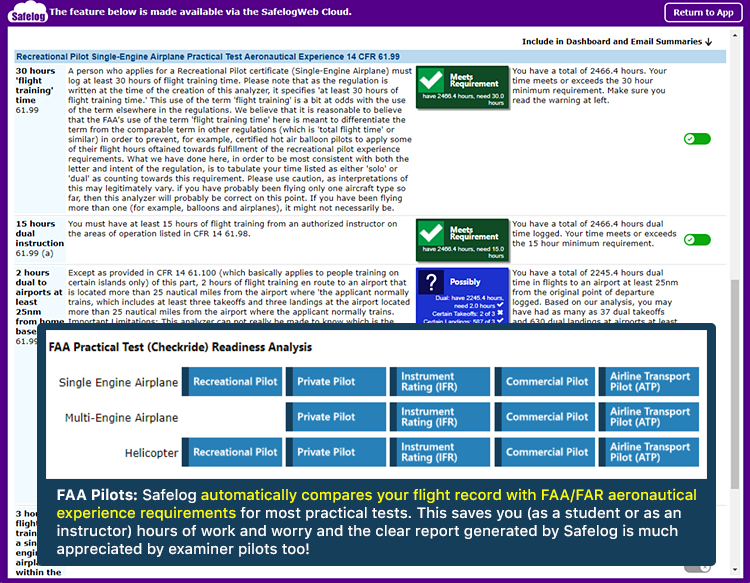
FAA Practical Test Readiness Analyzer* - be ready for the examiner - compare your logbook to CFR 14 (FAR) Part 61 and 141 regulations - student pilot through ATP in seconds.
Charts and graphs galore
Fully FAR 61.65 and EASA-FCL compatible
Manage Pilot/Medical Certificates and Ratings
Automatically generate FAA Form 8710-1 / IACRA*
Native iPhone™, iPad™, Android™ Mac™, and Windows PC versions available. Our apps are fully featured logging environments in their own right, not cut-down "travel companions."
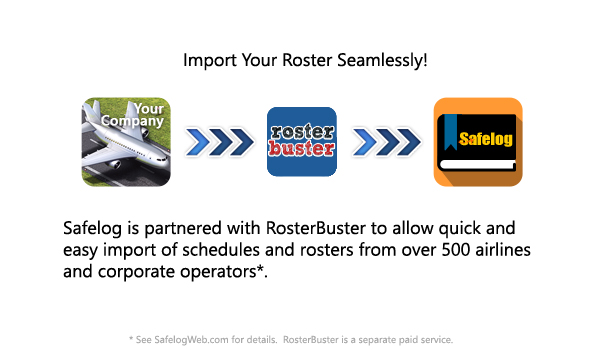
Powerful Import Tools to help you get your airline/company roster, CSV/Excel file, and/or third-party eLogbook into Safelog. Support for hundreds of airlines either through
our built-in tools or via our link to our partner, RosterBuster.
Built-in LIVE, UPDATED database of over 70,000 airports and landing places (probably most comprehensive airport database
on the web - live-linked to PilotNav.com) plus the ability to add your own
custom airports and landing sites (such as for glider and helicopter ops)
Free, online technical support provided by aviation professionals and an experienced and knowledgable tech team.
Aircraft and Contact managers. Built in database of 60,000+ aircraft types.
Support for flights entered before the digital logbook
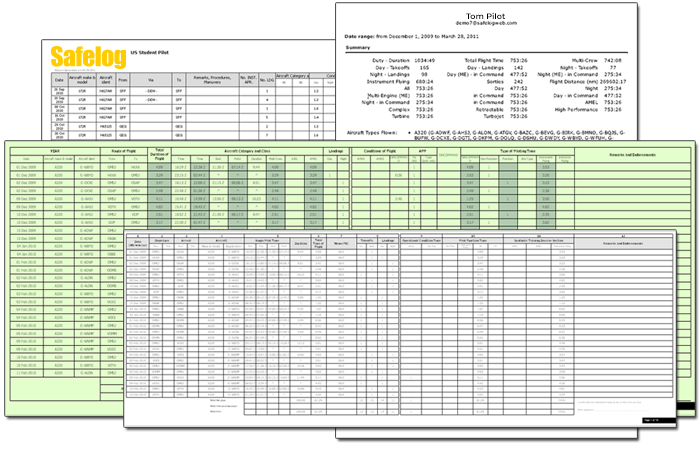
The best printing and report options in the business, period, including a great series of highly customizable instrument approach reports.
Store photos, journals, comments, notes, and more with flights
Upgrades to the latest and greatest version of our apps is ALWAYS FREE.
Hundreds of options for airline pilots, including block/duty times, flight number memory, crew, and more.
Export your data / printouts to PDF™, CSV, Microsoft Word™, Microsoft Excel™, XML, and many other handy formats. Online AND Offline backups to keep you secure.
You can even optionally access your logbook on the web via SafelogWeb.com when you're on the road!
Safelog's ease and speed of use is second to none. We spend hours obsessing over small details in order to save you milliseconds and make your life easier when entering flights and doing all the other cool things that Safelog can do. You may see some other logbook program with an equally impressive list of features. Try both and compare - you'll quickly see why pilots prefer Safelog.
We listen to you. Unlike other products, we have a full time team of pilots and programmers
who work continuously on Safelog. As a result, we are constantly innovating and adding features.
In fact, our team have developed virtually every non-obvious innovation in electronic pilot logbooks in the last
several years (many of which have been copied by others). At any given moment, we have many improvements
coming down the line, and, unlike others who hold you hostage to subsequent versions, Safelog upgrades
are free during your registered use period. Additionally, upgrades are easy - the latest
upgrade is always just one click away given our built-in self-update.
We're in this for the long term and are truly committed to making the best pilot logbook system
possible. This is why Safelog has become and will continue the world's most trusted pilot logbook system.
We really are a group of pilots, programmers, and testers committed to your satisfaction.
Safelog is simply the best tool to properly track and organize your valuable logbook data.
— independent review by the makers of Elite, the world's premier PC IFR Simulator
Get Safelog!
To get started with Safelog, download any of the Safelog apps below (it's free to try) or
set up a free account on our web based portal, SafelogWeb.com. No matter which version you start out with,
you can be confident all of the Safelog versions synchronize seamlessly with each other. This means you'll be able to access your
logbook where and when you want it on your choice of platforms. Once you get the app, a step-by-step wizard will help you
set up your logbook and get started right away.
Looking for the OLD version of Safelog for Windows PC? Click Here
I'm an airline pilot and I trust Safelog. The ease of use, the layout, the charts and graphs - it's just great. I import my roster directly and then I can quickly log the fligths I have flown.
The fact that there is a full range of EASA analysis features, including duty and block time limit checkers is also splendid. Five out of five stars!
— TB, Captain, Boeing 737NG
I have Safelog and LOVE it! What continues to surprise me is that updates keep coming out... I am always pleasantly surprised when you keep improving something that I considered perfect!
— TJH, FAA NAFI Master CFI
"I have Safelog and LOVE it! What continues to surprise me is that updates keep coming out... I am always pleasantly surprised when you keep improving something that I considered perfect!"
- TJH, FAA NAFI Master CFI
Unlike with most logbook products, which are published and then soon forgotten, Safelog undergoes continuous improvement. There are typically over a dozen
significantly updated versions each year (don't worry - getting the latest and greatest is free and usually takes only a few
seconds via the built-in update).
Therefore, the screenshots that you see below may vary slightly from what you see in the current version.
Easy to use
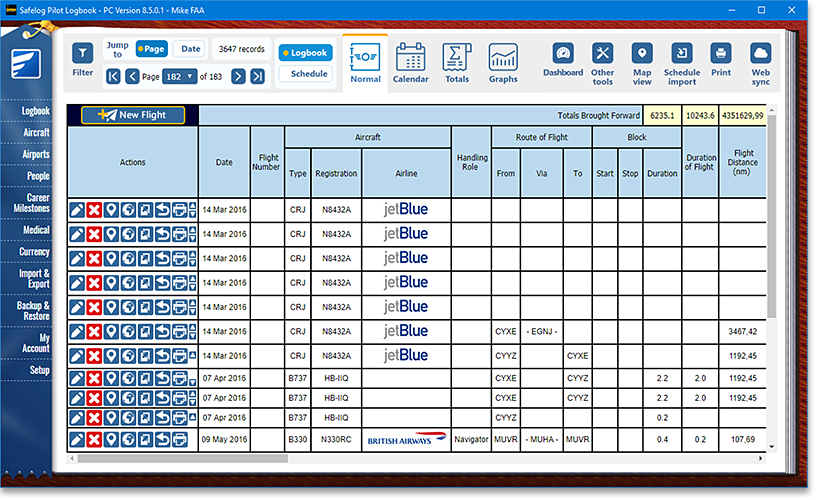
Safelog is as as easy to use as your paper logbook. It even looks like your paper logbook! Don't worry if the columns and fields you see in the screenshots here don't match your paper logbook; Safelog is highly configurable to match most paper logbooks used worldwide - including those for both professional and recreational pilots and through the "setup" screen you are given substantial power to configure Safelog's fields (including adding and removing a number of optional and custom fields) so that the system matches your flying.
Easy to track
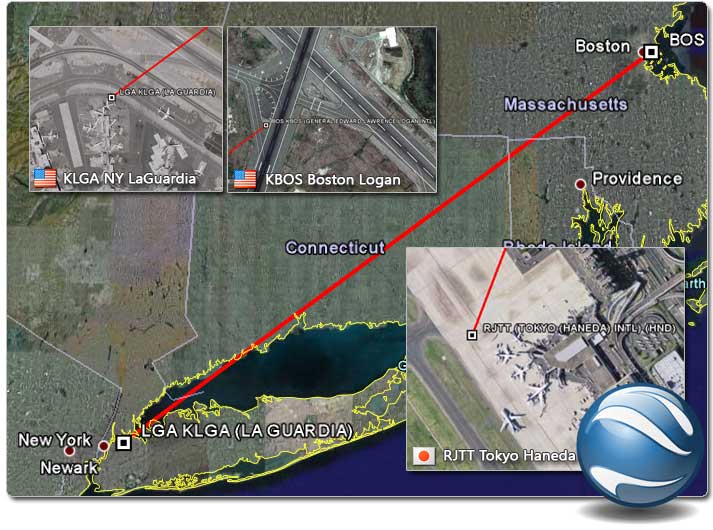
Safelog lets you see your flights in Google Earth. Not only is this really cool, but in some cases it can help in your flight planning and analysis.
Easy to manage
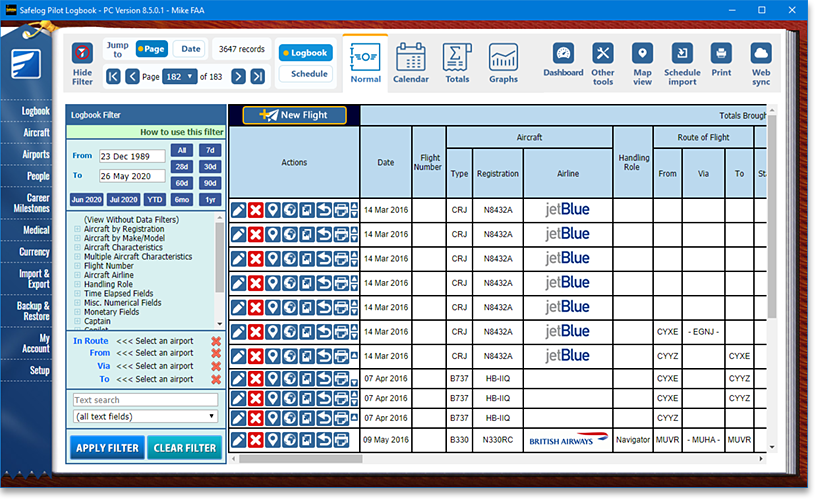
The powerful filter function lets you zoom in on exactly the flights that interest you and allow you to determine a number of useful totals and figures on demand.
Reports and Printouts
Safelog features more report and printout styles than any other eLogbook. Most of these report styles feature
plenty of user-customizable options. Generate PDFs in any of
several output styles of your choice, including:
Cover Pages
Cover Page - Portrait
Cover Page - Landscape
Totals/Graphs
Totals Grid (Log Fields x Dates)
Totals Grid (Log Fields x Operating Capacities)
Totals Grid (Log Fields x Handling Roles)
Totals Grid (Log Fields x Log Fields)
Totals Grid (Aircraft Types x Dates)
Totals Grid (Aircraft Types x Operating Capacities)
Totals Grid (Aircraft Types x Handling Roles)
Totals Grid (Aircraft Types x Log Fields)
Totals Grid (Individual Aircraft x Dates)
Totals Grid (Individual Aircraft x Operating Capacities)
Totals Grid (Individual Aircraft x Handling Roles)
Totals Grid (Individual Aircraft x Log Fields)
Totals Grid (Aircraft Characteristics x Dates)
Totals Grid (Aircraft Characteristics x Operating Capacities)
Totals Grid (Aircraft Characteristics x Handling Roles)
Totals Grid (Aircraft Characteristics x Log Fields)
Totals Grid (Composite Characteristics x Dates)
Totals Grid (Composite Characteristics x Operating Capacities)
Totals Grid (Composite Characteristics x Handling Roles)
Totals Grid (Composite Characteristics x Log Fields)
Totals Grid (Operators (Log) x Dates)
Totals Grid (Operators (Log) x Operating Capacities)
Totals Grid (Operators (Log) x Handling Roles)
Totals Grid (Operators (Log) x Log Fields)
Totals Grid (Operators (Aircraft) x Dates)
Totals Grid (Operators (Aircraft) x Operating Capacities)
Totals Grid (Operators (Aircraft) x Handling Roles)
FAA IFR Instrument Rating - Single Engine Airplane
FAA IFR Instrument Rating - Multi-Engine Airplane
FAA IFR Instrument Rating - Helicopter
FAA Commercial Pilot - Single Engine Airplane
FAA Commercial Pilot - Multi-Engine Airplane
FAA Commercial Pilot - Helicopter
FAA ATP Airline Transport Pilot - Single Engine Airplane
FAA ATP Airline Transport Pilot - Multi-Engine Airplane
FAA ATP Airline Transport Pilot - Helicopter
Transport Canada
Transport Canada (TC) Currency and Limitations
EASA / CAA / Europe
CAA Form N-27 (English)
CAA Form N-27 (English/Dutch/French)
EASA (JAA) Block Time Limits
EASA (JAA) Duty and Flight Time Limits (ORO.FTL.210)
UK CAA
UK CAA Currency and Limitations
France DGAC
France DGAC Currency and Limitations
South Africa (SACAA)
South Africa (SACAA) Currency and Limitations
UAE GCAA
UAE GCAA Currency and Limitations
DGCA India
DGCA India Currency and Limitations
China CAAC
China CAAC Currency and Limitations
Hong Kong CAD (HKCAD)
Hong Kong CAD Currency and Limitations
CASA Australia
CASA Australia Currency and Limitations
New Zealand (CAANZ)
New Zealand (CAANZ) Currency and Limitations
Airport and Approach Reports
Airport Report
Airport Report (Old Style)
Airport Summary Report
Airport Compact Report
Approach Report
* Special conditions apply. In some cases a similar or equivalent report/printout exists in our system though the exact item might not be available. Find the report listing in SafelogWeb.com for specifics
Multi-Platform
Safelog is a complete system of integrated, synchronizing pieces. You choose the ones that work best for you.
You can use any or all of the following: SafelogWeb.com (online logbook), Safelog for PC, Mac, iPhone/iPad, Android, and more.
It's completely up to you. Each can be used on its own or in concert with the others. If you use more than one version of Safelog, your data will synchronize between them seamlessly.
Currency Control
Complete Currency Control. Safelog lets you quickly and easily see your current status with regards to a large number of CFR 14 (FAR) Part 91, 121 (flag, domestic, and small capacity) and 135 requirements.
Checkride Readiness
Safelog carefully analyzes your logbook to see if you meet the CFR 14 Part 61 (and 141/142) experience requirements for your FAA Practical Test (checkride). What used to be a time consuming task is now handled for you automatically. For FAA Recreational Pilot, Private Pilot, IFR, Commercial Pilot, and ATP practical tests for airplane (single and multi-engine) and helicopter. This is a VERY powerful tool and another Safelog innovation.
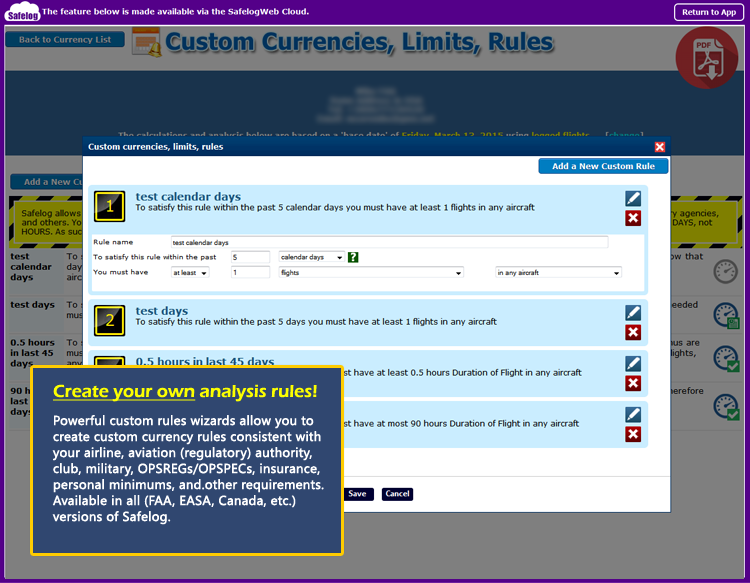
Custom Rules
If your needs require something beyond Safelog's built-in rules, you can always add custom currency specifications using our powerful Custom Rules feature.
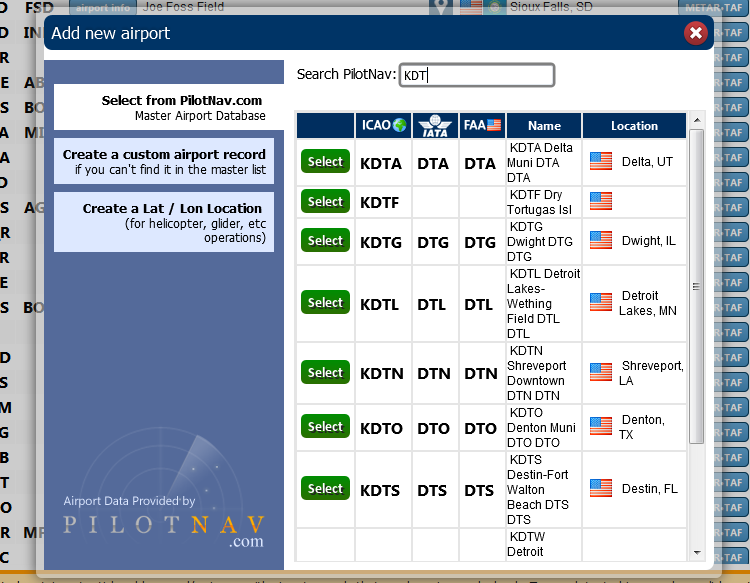
PilotNav Integration
Safelog is fully integrated with PilotNav.com's live, worldwide, regularly updated airport database with over 30,000 airports and landing places.
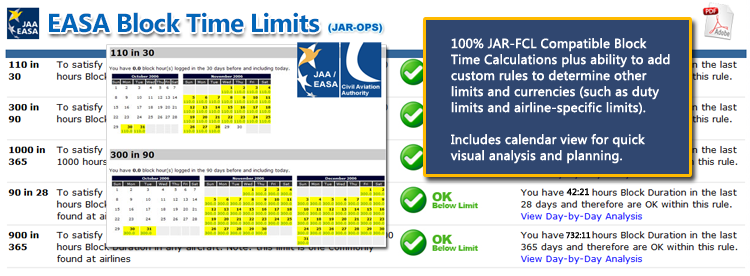
Time Tool
For European / EASA / JAR-FCL pilots, Safelog can analyze your block times and graphically provide planning information to help you stay within legal limits. And, if your airline, company, or insurer has alternate duty, block, and/or flight time minimums, you can also monitor those with the custom limit / rule analyzer.
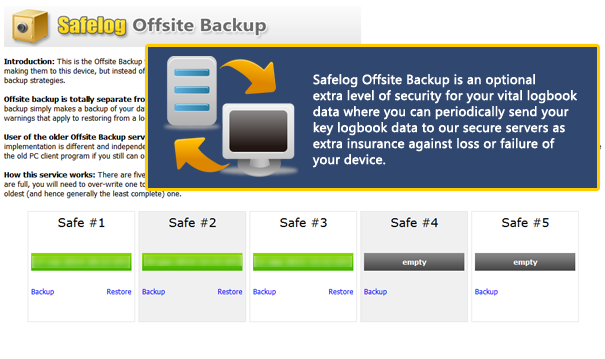
Offsite Backup
In addition to the many local backup features (allowing you to make backups of your logbook data to your hard drive, a USB flash drive, etc. for safekeeping), Safelog also features an optional Offsite Backup capability. With Safelog Offsite Backup, you can optionally choose to make backups of your key logbook data via our internet servers, thus helping protect your valuable data against, for example, physical loss of your PC or hard drive failure.
Pilots from the above organizations use/have used Safelog to log
flights. However, inclusion in the above list does not necessarily constitute endorsement of our product
by the organizations so referenced. Trademarks remain properties of the respective organizations. See
here for more info.
Attention
Glider Pilots!
Safelog
has full support for you! In the FAA version there
are numerous fields to compute gliding totals. The
EASA (CAA/JAA, EASA-FCL) version can be configured to look like popular European paper glider logbooks, complete with a pre-filled-in
training syllabus with all the badges, etc that you'll
need.





 , one of these
 , or even one of these
 , you've come to the right place. This is the home of that really good electronic pilot logbook
system that you've been looking for--Safelog has the most features, most polished user experience, and the lowest total cost of any credible pilot logbook system.
, you've come to the right place. This is the home of that really good electronic pilot logbook
system that you've been looking for--Safelog has the most features, most polished user experience, and the lowest total cost of any credible pilot logbook system.