|
Options
galore!
GroundSchool
Version 5 offers a very wide range of ways for you to study, practice,
or simulate the actual FAA knowledge tests.
As
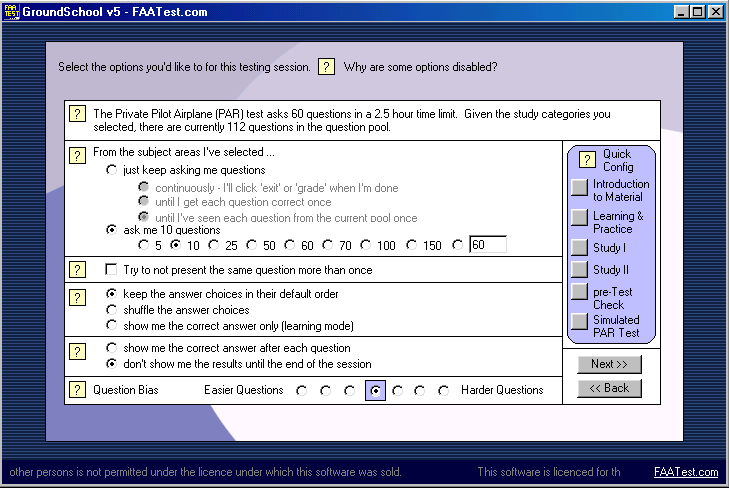
you can see, the option screen above has numerour options that
you can select to help you study. We'll quickly highlight two
of them. One, you can view the questions in "learning mode"
where only the correct answer is displayed. Two, you can select
a "question bias" towards easier or harder at the bottom
of the screen.
This
"question bias" is tied in to a sophisticated neural
network algorithm (called "SmartLearn") that GroundSchool
uses. This algorithm tracks your progress as you use the program
and makes notes as to which questions you have found easier or
harder. If, for example, you set the Question Bias option to the
right, the program would then tend to ask you questions that you
have had trouble with in the past (as pictured, it is in the "neutral"
position). This is a great way to save time while studying, and
absolutely no action is necessary on your part--SmartLearn works
on its own (though it can be disabled).
If
you don't want to deal with the hassle of setting these options,
have a look at the blue "quick config" boxes at right.
With one click on any of its buttons, correspoding options will
be set at left for various stages of training.
|